
This post contains affiliate links. If you purchase through these links, sudostack may earn a small commission at no extra cost to you. This helps support the site.
If you're running multiple terminal windows, a browser, an LLM chat interface, and a code editor simultaneously, a 34-inch ultrawide at 3440x1440 is the most practical upgrade you can make to your dev setup. This guide covers eight monitors from around $210 to around $420, with a clear breakdown of where to spend and where to save.
Quick Picks
What to Look For
The single most important spec decision in this category is resolution: 3440x1440 (UWQHD) versus 2560x1080 (UWFHD). If you're staring at code for 8+ hours a day, the lower pixel density of FHD ultrawides causes real eye strain. The price gap between the cheapest FHD and WQHD options is not worth the trade-off. Get WQHD.
After resolution, consider your cable situation. If you work from a MacBook or any modern laptop, USB-C with Power Delivery means one cable handles both display and charging. That convenience costs roughly $100 to $150 extra in this market. Worth it if your desk setup frustrates you. Not worth it if you're on a desktop or already running a docking station.
A few other things to weigh:
- Panel type: IPS gives you wider viewing angles, which matters if you ever rotate a screen toward a colleague during code review. VA panels offer higher contrast ratios, which benefits dark-theme coding setups and gaming crossover use.
- Refresh rate: 100Hz is fine for coding. 165Hz and 180Hz make fast terminal scrolling noticeably smoother and are worth having if you also game. Don't pay a premium for it if you're purely coding.
- Brand and warranty: Dell and LG offer better support infrastructure. Budget brands like KTC, Sceptre, and INNOCN save you $50 to $100 but come with more variable warranty experiences.
- Response time marketing: Advertised 1ms figures are often MPRT (moving picture response time), a marketing metric. Gray-to-gray response is the number that actually affects real-world sharpness.
Budget expectations: you can get a solid WQHD 34-inch IPS with USB-C for around $280 to $390. The cheapest legitimate WQHD options with no USB-C start around $210. Anything marketed as a 34-inch ultrawide under $200 is almost certainly FHD, and you'll regret it.
LG 34U650A-B UltraWide Monitor

LG 34U650A-B UltraWide Monitor
Pros
- 96W USB-C PD charges MacBook Pro at full speed
- IPS panel for wide viewing angles
- Under $400 from a proven brand
- Built-in speakers and HDR10
Cons
- Only 100Hz, slower than budget gaming alternatives
- 5ms response time
- Color gamut specs not published
The LG 34U650A-B hits the sweet spot most laptop-first developers are actually looking for: a 34-inch WQHD IPS display with 96W USB-C Power Delivery, from a brand with legitimate support infrastructure, under $400. That 96W rating is meaningful. Many USB-C monitors top out at 65W or 90W, which throttles a 16-inch MacBook Pro under load. At 96W, you're covered.
The IPS panel means wide viewing angles without the color shift you get from VA at oblique angles. For solo coding it doesn't matter, but if you ever pull a colleague over to review something on your screen, it makes a difference. The 100Hz refresh rate won't thrill anyone, but it's not a limitation for coding work. Community feedback on Amazon sits at 4.4 stars with over 300 monthly purchases, which is a reasonable signal for a monitor that's been available for a relatively short period.
The main trade-offs are the unpublished color gamut specs (assume standard sRGB unless LG confirms otherwise) and the lack of speed specs that matter for gaming. If you're buying a coding monitor and occasionally want to play something, look at the KTC or Sceptre below. If you want a single-cable IPS solution from a name-brand vendor with solid warranty coverage, this is the one to get.
Dell S3425DW Plus USB-C Curved Monitor
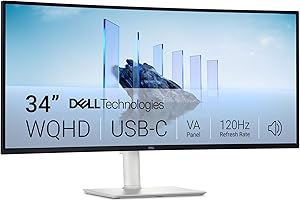
Dell S3425DW Plus USB-C Curved Monitor
Pros
- 99% sRGB and 95% DCI-P3 for color-critical work
- 3000:1 contrast ratio from VA panel
- 120Hz is a step above most productivity monitors
- USB-C for single-cable laptop setup
- Strong Amazon reviews: 4.5 stars, 2000+ monthly purchases
Cons
- Most expensive option in this guide at around $420
- VA panel viewing angles narrower than IPS
- 5ms response time
The Dell S3425DW is the right pick if color accuracy is a hard requirement. The 95% DCI-P3 coverage and 99% sRGB make it viable for UI/UX work, design reviews, or any project where color consistency actually matters. Most coding monitors ignore color gamut entirely. Dell doesn't here, and the 3000:1 contrast ratio from the VA panel means dark themes look genuinely deep rather than muddy gray.
At around $420, this is the most expensive monitor in this guide, and you're paying the Dell brand tax on top of the specs. The 5ms response time is the same as several cheaper monitors in this list, so the price premium is really for the color accuracy, USB-C, and the Dell support experience. The 4.5-star rating from over 2000 monthly purchases is one of the strongest satisfaction signals in this category.
Skip this if color accuracy isn't part of your workflow. The extra $30 to $40 over the LG 34U650A-B buys you color gamut specs and a VA contrast advantage, but costs you IPS viewing angles. For pure coding, the LG is the better call. For anyone doing frontend work, designing in Figma, or reviewing design assets, the Dell justifies its price.
Philips 346E2CUAE UltraWide Monitor

Philips 346E2CUAE UltraWide Monitor
Pros
- USB-C with charging at the best price in class
- 121% sRGB exceeds standard coverage
- TCO Certified for sustainability standards
- MultiView PIP/PBP for split-screen workflows
- Amazon's Choice with 4.2 stars from 609 reviews
Cons
- 100Hz only
- 1ms MPRT spec is a marketing figure, not gray-to-gray
- Less brand recognition than Dell or LG
The Philips 346E2CUAE is the strongest case for buying under $300 without compromising on resolution or connectivity. It's an IPS panel at 3440x1440 with USB-C charging, 121% sRGB coverage, and Amazon's Choice designation, typically around $280. That combination doesn't exist at this price from Dell or LG. If your ceiling is $300 and you need USB-C, this is where your money goes.
The TCO Certification is a minor but real differentiator if your employer has sustainability procurement requirements. The MultiView PIP/PBP feature is genuinely useful for developers running a laptop alongside a desktop, or monitoring a second machine's output without switching inputs. These aren't features you typically see at this price point.
The caveat worth flagging: the 1ms response time spec is MPRT, not the gray-to-gray figure that determines actual sharpness during fast motion. For coding, this is irrelevant. For gaming, treat it skeptically. The 609 reviews at 4.2 stars is a reasonable confidence level for a budget monitor from a brand that occupies a tier below Dell and LG but above the Chinese-market alternatives in this guide.
LG 34SR60QC-W 34-inch Smart Monitor
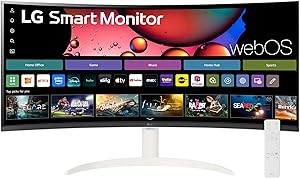
LG 34SR60QC-W Smart Monitor
Pros
- webOS eliminates need for external streaming device
- AirPlay2 and Bluetooth for wireless setup
- IPS panel suits pair programming
- Strong demand signal: 4.3 stars, 1000+ monthly purchases
Cons
- No USB-C connectivity
- Smart features add cost with limited developer utility
- 100Hz, 5ms response time
- webOS overhead if you just need a monitor
The LG 34SR60QC-W is a narrower recommendation than the others here. At around $300 on sale (regular ~$350), it's an IPS WQHD monitor with webOS built in, which means you can stream Netflix, run YouTube, or mirror an iPhone directly without a separate Apple TV or Chromecast. For a developer who uses a monitor as both a primary work display and a secondary entertainment screen, that consolidation is genuinely useful.
The 1000+ monthly purchases at 4.3 stars suggest real-world satisfaction. But note that this monitor lacks USB-C entirely, which is a significant omission at the $300 price point given that the Philips 346E2CUAE offers USB-C charging for similar money. You're trading cable convenience for smart features. Whether that's the right trade depends entirely on whether you actually want a smart monitor or just need a display.
If webOS sounds appealing, verify the specific streaming app support before buying. LG's monitor-tier webOS implementation has historically had a smaller app catalog than their TV webOS builds, and the research data flags this as worth confirming. For developers with no interest in smart TV functionality, the LG 34U650A-B is the better LG option.
KTC H34S18S 34-inch Ultrawide Gaming Monitor

KTC H34S18S Ultrawide Gaming Monitor
Pros
- Best price-per-spec ratio in this guide at around $230
- 180Hz makes fast terminal scrolling noticeably smoother
- 1ms response time for coding and gaming
- Dual adaptive sync for AMD and Nvidia GPUs
- 4.5 stars from 1500+ reviews
Cons
- No USB-C
- VA panel viewing angles narrower than IPS
- Lesser-known brand with limited retail support
The KTC H34S18S delivers the most specs per dollar of anything in this guide. Around $230 after the available coupon, you get 3440x1440, 180Hz, 1ms response time, a 1500R curve, and FreeSync plus G-Sync compatibility. For context, the LG 34U650A-B costs around $160 more and runs at 100Hz. That gap only makes sense if you need USB-C or an IPS panel.
The 180Hz refresh rate is overkill for reading static code, but it makes a real difference when you're rapidly scrolling through large files, running builds with streaming log output, or switching between many windows. The VA panel's narrower viewing angles are a fair trade at this price. KTC is a Chinese monitor brand with growing Amazon presence: 1500+ reviews at 4.5 stars across product variations is a strong signal that the panel quality is consistent and the specs are delivered.
The clear limitation is no USB-C. If your laptop setup requires single-cable operation, this isn't the right monitor. If you're on a desktop, or don't mind running a separate power adapter, the KTC is the most logical purchase for anyone who codes and games on the same machine. No other monitor in this list comes close to its refresh rate at this price.
Sceptre C345B-QUT168 34-inch Ultrawide Monitor
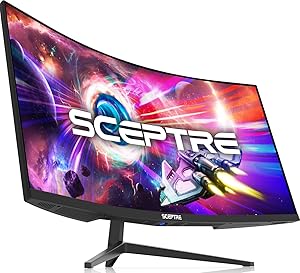
Sceptre C345B-QUT168
Pros
- Lowest WQHD price in this guide at around $210
- 99% sRGB color accuracy solid for non-creative work
- Dual DisplayPort for flexible connectivity
- Strong review base: 4.4 stars from 2900+ reviews
- 2025 model, current generation hardware
Cons
- No USB-C
- VA panel viewing angle limitations
- Sceptre brand support less accessible than Dell/LG
The Sceptre C345B-QUT168 holds the absolute price floor for WQHD 34-inch monitors in this guide at around $210. That's a meaningful number: you're getting the same core resolution as the ~$390 LG at nearly half the price, with 165 to 180Hz and 99% sRGB to boot. The 2900+ review count at 4.4 stars is the strongest review volume here, which provides real confidence that the panel quality is consistent across units.
The 165Hz/180Hz switchable refresh rate is an unusual spec that the research data flags as worth verifying in the manual before purchase. Assuming it works as advertised, it's a flexible feature. The dual DisplayPort outputs are useful if you need to connect two sources or daisy-chain a second display.
Like the KTC, the Sceptre has no USB-C, making it a desktop-first recommendation. It's the runner-up to the KTC for coding-plus-gaming use primarily because the KTC's review volume and adaptive sync support give it a slight edge. But if the Sceptre is on sale and the KTC isn't, this is an easy call at around $210.
INNOCN 34C1R 34-inch WQHD IPS Ultrawide Monitor
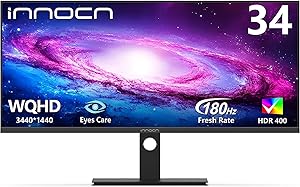
INNOCN 34C1R Ultrawide Monitor
Pros
- IPS panel with 180Hz at budget price
- Wide viewing angles suit code review sessions
- Eye Care mode for long work sessions
- Strong specs on paper for the price
Cons
- Very limited Amazon review sample (few confirmed reviews)
- No USB-C
- INNOCN warranty support variable
- Low purchase volume limits real-world confidence
The INNOCN 34C1R has an appealing spec sheet: IPS panel, 180Hz, 1ms response time, G-Sync compatible, around $230 on sale. On paper, it's better than the KTC in terms of panel type at the same price. The problem is the review data. The research flags only a small number of confirmed Amazon reviews, which makes it genuinely difficult to assess panel consistency, backlight quality, or warranty follow-through at scale.
INNOCN is a Chinese manufacturer with a growing presence in the US market. Their panels are reportedly sourced from major suppliers and the brand has been building recognition in the budget monitor space. But "reportedly" is doing real work in that sentence. The 50+ monthly purchases signal is low compared to every other option in this guide.
This is worth watching if the deal price holds and the review count grows. Right now, if you want IPS at 180Hz under $300, the Philips 346E2CUAE at around $280 with USB-C and 609 reviews is the more defensible purchase. The INNOCN's potential is real, but the confidence level isn't there yet.
LG 34U530A-W 34-inch UltraWide FHD Monitor
LG 34U530A-W UltraWide FHD Monitor
Pros
- USB-C at the lowest price point in this guide
- IPS panel from a proven brand
- LG build quality and warranty support
- 500+ monthly purchases confirm real demand
Cons
- 2560x1080 FHD resolution, noticeably lower pixel density than WQHD
- Text sharpness a real concern for 8+ hour coding sessions
- 100Hz, 5ms
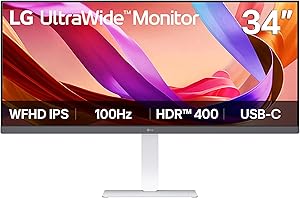
The LG 34U530A-W is the only FHD ultrawide in this guide, and it's here specifically to demonstrate why you shouldn't buy it for coding. The 2560x1080 resolution across 34 inches produces a noticeably lower pixel density than WQHD alternatives. Code text at standard sizes will appear soft. Over long sessions, that softness causes eye fatigue in a way that a sharper display doesn't. The Sceptre C345B-QUT168 costs roughly the same and delivers 3440x1440.
That said, the LG 34U530A-W has two things no sub-$250 competitor offers: USB-C and the LG brand. If your absolute ceiling is around $230, you're on a laptop, and you won't compromise on single-cable setup, this is your only real option at this price. The 500+ monthly purchase figure and LG's service network make it a reliable hardware choice even if the resolution is a concession.
Treat this as the option of last resort: it only makes sense if USB-C at the lowest possible price outweighs the resolution penalty in your specific setup. For most developers, it doesn't.
Head-to-Head Comparison
| Product | Price | Resolution | Panel | Refresh Rate | USB-C | Best For |
|---|---|---|---|---|---|---|
| LG 34U650A-B ★ | ~$390 | 3440x1440 | IPS | 100Hz | Yes, 96W | Best overall |
| Dell S3425DW | ~$420 | 3440x1440 | VA | 120Hz | Yes | Color-accurate work |
| Philips 346E2CUAE | ~$280 | 3440x1440 | IPS | 100Hz | Yes | Best budget USB-C |
| LG 34SR60QC-W | ~$300 | 3440x1440 | IPS | 100Hz | No | Smart features |
| KTC H34S18S | ~$230 | 3440x1440 | VA | 180Hz | No | Gaming + coding |
| Sceptre C345B-QUT168 | ~$210 | 3440x1440 | VA | 165-180Hz | No | Absolute lowest WQHD price |
| INNOCN 34C1R | ~$230 | 3440x1440 | IPS | 180Hz | No | IPS + 180Hz on a budget |
| LG 34U530A-W | ~$229 | 2560x1080 | IPS | 100Hz | Yes | USB-C at minimum cost |
Bottom Line
For most laptop-first developers, the LG 34U650A-B is the correct answer: WQHD IPS, 96W USB-C, under $400, from a brand with real support. If your budget stops at around $280 and you still need USB-C, the Philips 346E2CUAE is a surprisingly complete monitor for the price. And if you're on a desktop and also game, the KTC H34S18S gives you 180Hz WQHD for around $230, and nothing else in this list touches that value.